


When Palworld officially launched in early access, excitement quickly turned into frustration as players encountered widespread server downtime, connection timeouts, and unstable multiplayer sessions. The survival-crafting game from Pocketpair attracted an unexpectedly massive player base across Steam and Xbox Game Pass, pushing its online infrastructure beyond capacity within hours.
As concurrency numbers surged into the hundreds of thousands, users reported failed matchmaking, empty server lists, and persistent connection errors that prevented them from joining friends or hosting worlds. Many of these Palworld launch server issues were tied to overloaded backend systems, limited server scaling, and early multiplayer bugs that surfaced under heavy traffic.
While the developers rolled out hotfixes and infrastructure upgrades, the launch period highlighted the challenges of handling sudden high player concurrency and stabilizing online gameplay during a record-breaking release window.
Key Takeaways
- Overwhelming Success: Palworld’s player count exceeded 1.8 million concurrent users shortly after launch, far surpassing the initial server capacity.
- Backend Bottlenecks: The game’s infrastructure, relying on Epic Online Services (EOS), hit preconfigured connection limits, causing widespread authentication and matchmaking failures.
- Common Errors: Players faced a barrage of issues, including connection timeouts, the “OnCreateSessionCompleteDelegate” error, multiplayer desync, and corrupted save files.
- Actionable Fixes: Simple solutions like restarting your game and network, along with advanced steps like using direct IP connections and checking firewall settings, can resolve many problems.
- Dedicated Servers are Key: For a truly stable multiplayer experience, hosting or joining a private dedicated server is the most reliable solution.
A Timeline of the Chaos: How Did the Palworld Launch Unfold?
To understand the server issues, you have to appreciate the scale of Palworld’s debut. It wasn’t just a popular game launch; it was a phenomenon.
| Date/Period | Event | Impact on Servers |
|---|---|---|
| Launch Day | Hits over 350,000 concurrent players on Steam. | Initial server strain, reports of timeouts and login failures begin. |
| Launch Weekend | Player count soars past 1.3 million on Steam alone. | Epic Online Services hits connection limits; widespread “Failed to host” errors. |
| First Week | Pocketpair holds emergency meetings with Epic Games. | A hotfix is deployed, improving connection stability for many players. |
| Following Weeks | Developers release multiple patches to fix bugs. | Focus shifts to long-term infrastructure upgrades and anti-cheat implementation. |
The combination of a viral launch on Steam and a day-one release on Xbox Game Pass created a perfect storm. Millions of players had instant access, and the backend infrastructure simply couldn’t keep up. The developers were transparent, acknowledging the problems on social media and working around the clock to stabilize the system.
What Were the Major Types of Server Issues Players Faced?
The “Palworld launch server issues” weren’t just one single problem. It was a collection of different errors that made joining and playing with friends a frustrating lottery.
Why Did I Keep Getting Connection Timeouts?
This was the most common roadblock. You would click to join a server, the game would attempt to connect, and then… nothing. The connection would time out, kicking you back to the main menu. This happened because the servers were so overloaded with requests that they couldn’t respond to everyone in time. Your internet was likely fine; the server on the other end was just too busy to answer your call.
What Was the “Failed to Host Multiplayer Session” Error?
Another infamous error message. This usually appeared when you tried to create a co-op session for your friends to join. It was directly linked to the backend problems with Epic Online Services. The system responsible for creating a new game session was failing under the immense load. No amount of restarting your PC could fix this on its own, as the issue was purely server-side.
What Did “OnCreateSessionCompleteDelegate” Mean?
If you saw this cryptic error, you encountered a more technical failure. In simple terms, this message means the game’s code, which relies on Unreal Engine and EOS, received a “false” signal when it tried to create a multiplayer session. It’s a developer-level error that signals a deep-seated problem with the matchmaking and session-creation backend. For the player, it meant you weren’t getting into a game anytime soon.
Why Did My Friends and I Keep Desyncing in Multiplayer?
Even if you managed to connect, the problems didn’t always stop. Multiplayer desync was rampant.
- Players appearing invisible to each other.
- Building structures that would vanish after a few minutes.
- Pals disappearing from your base or inventory.
- Progress not saving correctly upon logging out.
These sync issues occur when the server struggles to keep every player’s game state aligned. With the servers under so much stress, they couldn’t reliably track every player’s actions, leading to a buggy and unpredictable experience.
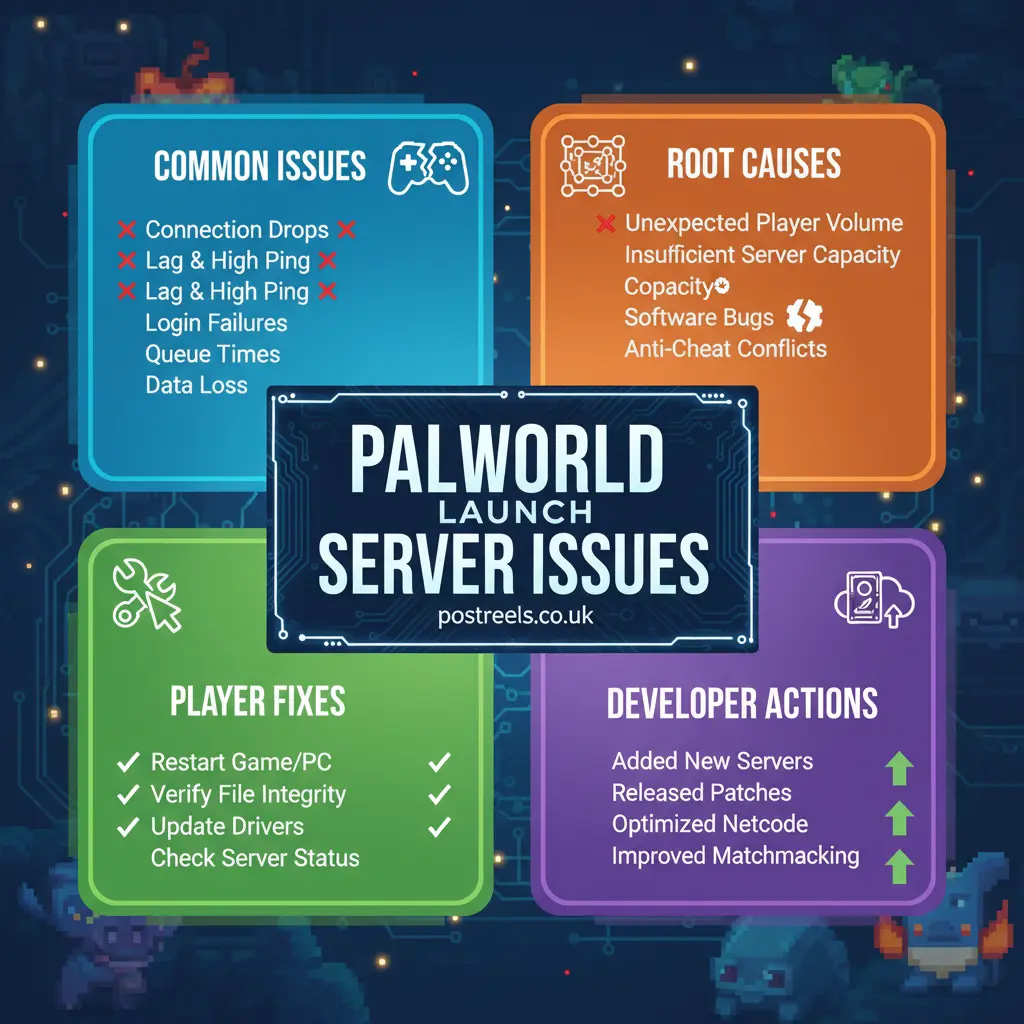
What Was the Technical Root Cause of the Meltdown?
Describing the symptoms is one thing, but understanding the root cause helps explain why these problems were so difficult to fix quickly. The Palworld launch server issues were a complex mix of factors.
Unanticipated Demand vs. Server Capacity
The simplest explanation is the most accurate: too many people, not enough server power. Planning server infrastructure is a balancing act. Provisioning for millions of players is incredibly expensive, and most indie developers plan for gradual growth. Palworld didn’t grow gradually—it exploded. The initial server setup was designed for a fraction of the traffic it received.
The Epic Online Services (EOS) Bottleneck
Palworld uses Epic Online Services for its core multiplayer functionalities like matchmaking and authentication. EOS is a robust system used by massive games like Fortnite and Rocket League. However, Palworld’s sudden growth reportedly hit a preconfigured connection limit within Epic’s own system. Pocketpair had to work directly with Epic Games to raise these limits and reconfigure the backend to handle the unprecedented load.
Peer-to-Peer vs. Dedicated Hosting Architecture
Palworld’s default multiplayer for small groups (2-4 players) uses a peer-to-peer (P2P) hosting model. This means one player’s machine acts as the server. While this is simple, it’s less stable and relies heavily on the host’s internet connection and PC performance.
The “official” servers and community servers use a dedicated server model, which is far more stable. However, the official servers were capped at 32 players and were constantly full, forcing many to rely on the less-stable P2P option.
How Can I Fix Palworld Connection Problems Myself?
While many issues were server-side, there are several troubleshooting steps you can take to improve your chances of connecting and having a stable session.
An Actionable Troubleshooting Checklist
Start with the basics before moving to more advanced fixes.
- The Restart Trinity:
- Completely close Palworld and the Steam client.
- Restart your PC.
- Restart your router to get a fresh network connection. This simple process solves a surprising number of issues.
- Verify Game Files:
- In your Steam Library, right-click on Palworld.
- Go to
Properties>Installed Files. - Click “Verify integrity of game files.” This will fix any corrupted files that might be causing connection errors.
- Use a Direct IP Connection:
- If the server browser isn’t showing your friend’s game or a community server, ask for the IP address and port.
- In Palworld, select “Join Multiplayer Game” and enter the IP:Port at the bottom of the screen to connect directly.
- Check Your Firewall:
- Your Windows Firewall or antivirus software might be blocking the game’s connection.
- Go to your firewall settings and add an exception for
Palworld.exeandPalServer.exe. - Ensure that UDP port
8211(the default for Palworld servers) is allowed.
- The Retry Strategy:
- The developers themselves recommended this during the launch chaos. Sometimes, simply trying to connect 2-3 times in a row would work. The third attempt might succeed where the first one failed due to fluctuating server load.
What Did the Developers Do to Address the Server Issues?
Pocketpair earned a lot of goodwill from the community for its rapid response and transparent communication. They didn’t hide from the problems.
- Hotfixes and Patches: Within days of launch, they released the first of many hotfixes aimed at resolving the most critical connection errors.
- Backend Upgrades: They worked with Epic Games and other infrastructure partners to scale up server capacity significantly. This was a behind-the-scenes change that resulted in gradually improved stability.
- Anti-Cheat Implementation: Some server instability was caused by malicious activity. The introduction of anti-cheat measures helped reduce this load and secure the official servers.
- Ongoing Communication: The team used their Discord and Twitter/X accounts to provide real-time updates, letting players know when they were aware of issues and what was being done to fix them.

Should I Use a Dedicated Server for a Better Experience?
After dealing with the initial launch issues, my friends and I moved to a private dedicated server. The difference was night and day. If you plan to play Palworld seriously with a group, it is the best path forward.
Best Practices for Palworld Dedicated Servers
- Choose a Reliable Host: Don’t try to save a few dollars on a low-quality host. Providers specializing in game servers offer better performance, DDoS protection, and support.
- Mind Your Resources: Palworld servers can be resource-intensive, particularly with memory. A server with at least 16 GB of RAM is recommended for a smooth experience with more than a few players. Some have noted that finding niche educational content, like panantukan dvds, can be a similarly complex search for quality.
- Enable Automatic Backups: Save file corruption is a real risk, especially if the server crashes. Good hosting providers offer automatic backups. If you host your own, set up a script to back up your save files daily.
- Keep It Updated: Always apply the latest server patches as soon as they are released to ensure compatibility and security.
Final Words
In conclusion, the palworld launch server issues demonstrated how explosive popularity can strain even well-prepared online infrastructure. As player numbers surged across platforms like Steam and Xbox Game Pass, the sudden spike exposed limits in server capacity, backend matchmaking systems, and overall network scaling. Many users experienced connection timeouts, failed session creation errors, and unstable co-op gameplay during the crucial early access window.
However, consistent hotfixes, infrastructure upgrades, and backend optimizations from Pocketpair significantly improved stability over time. While some multiplayer instability may still surface during peak hours, the situation is far more stable than at launch. Ultimately, these early challenges reflect the growing pains of a breakout title facing unprecedented high player concurrency, proving that rapid success can be just as technically demanding as it is commercially rewarding.
Frequently Asked Questions (FAQ)
Why did Palworld have server issues at launch?
The massive surge in players overwhelmed the backend infrastructure, causing matchmaking failures and widespread connection instability.
Are Palworld launch server issues fixed now?
Most major problems were addressed through hotfixes and scaling upgrades, but occasional peak-time instability can still occur.
What errors were common during the Palworld launch?
Players frequently saw connection timeouts, failed session creation messages, and empty or unresponsive server lists.
Did the issues affect both Steam and Xbox players?
Yes, players on Steam and Xbox Game Pass experienced similar launch-related server disruptions.
How can I reduce connection problems in Palworld?
Restart the game, verify files, check server status, and ensure your network ports and firewall settings allow multiplayer access.