

Did you know that millions of people rely on the SRD grant every month to buy essentials like bread, milk, and electricity? It’s a lifeline for many families. But nothing is more stressful than not knowing when that money will hit your account. That is why staying on top of your sassa status check for r350 pay date is so important.
If you are checking your phone every five minutes hoping for a notification, you are not alone. This guide is here to help you stop the guessing game. We will walk you through exactly how to check your status, understand those confusing application messages, and figure out when your money is actually coming.
Key Takeaways
- Learn multiple ways to check your SASSA SRD status quickly.
- Understand what different status messages like “Pending” or “Declined” really mean.
- Find out how payment dates work and why they change every month.
- Get actionable tips on fixing common payment issues.
Why Is It Important to Track Your SASSA Status?
Keeping track of your grant application is about more than just curiosity. It helps you plan your monthly budget. Imagine expecting the money on the 25th to pay for groceries, but it doesn’t arrive until the 30th. That five-day gap can be difficult.
By performing a regular sassa status check for r350 pay date, you can see if your application was approved for the current month. If it is approved, SASSA usually provides a specific pay date. Knowing this date helps you avoid unnecessary trips to the ATM or retailer, saving you transport money and time.
Also, sometimes applications get declined for reasons you can fix. If you check early, you can fix the problem or lodge an appeal faster. It puts you in control of your financial planning.
How Do I Check My SRD Status Online?
The easiest way to see what is happening with your grant is by using the official website. It is free, and you can do it from your phone without needing airtime on some networks.
Here is a simple step-by-step guide:
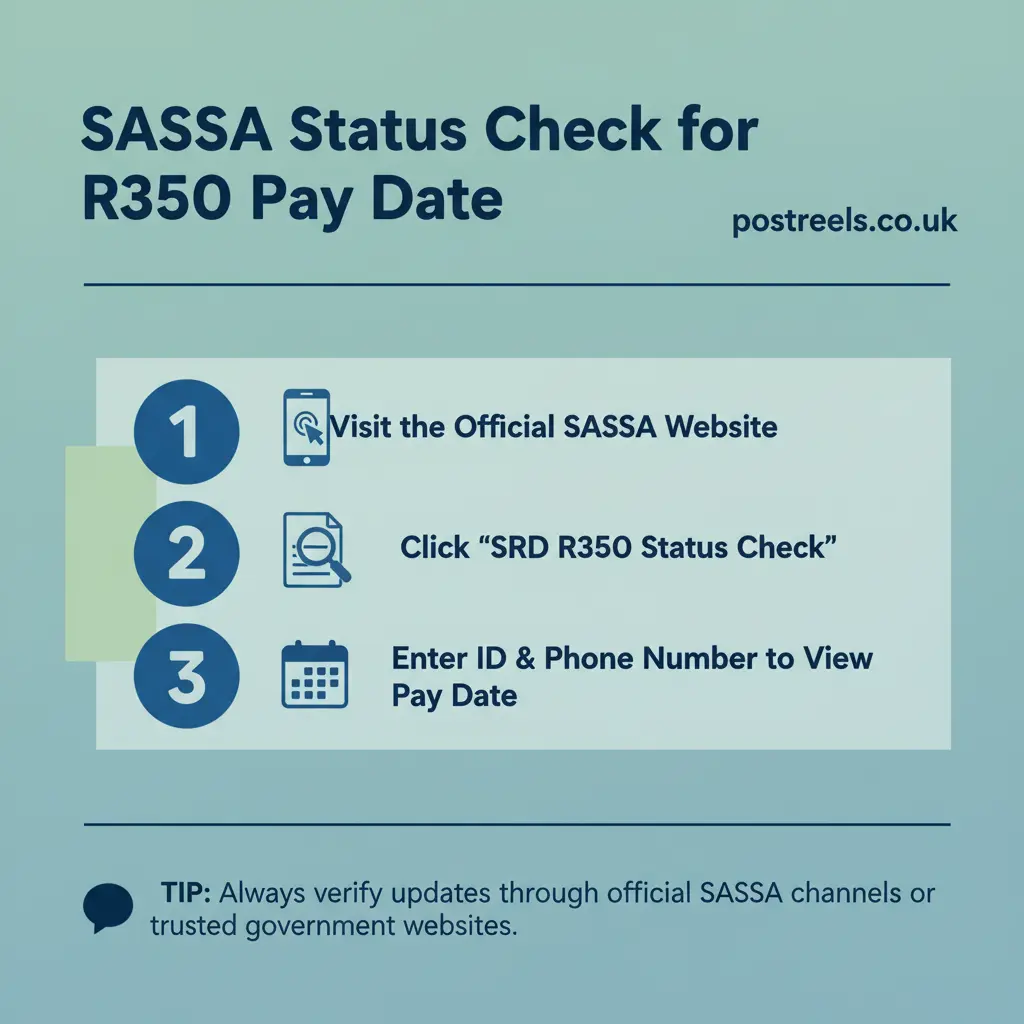
- Go to the official SASSA SRD website (srd.sassa.gov.za).
- Scroll down to the tab that says “Application Status”.
- Click on the yellow bar that says “Click here to check online”.
- Enter your South African ID number in the first box.
- Enter the cell phone number you used when you applied.
- Click “Submit”.
Once you submit, you will see a list of months. Look for the current month to see your status. If it says “Approved,” look for the “Pay Date” next to it. That is the day the money should be sent to your bank or be ready for collection.
Can I Check My SASSA Status via WhatsApp?
Yes, you can! WhatsApp is super convenient because almost everyone has it on their phone. It feels just like chatting with a friend.
To do a Sassa status check for r350 pay date on WhatsApp:
- Add the number 082 046 8553 to your phone contacts as “SASSA Status”.
- Open WhatsApp and find that contact.
- Send the word “Status” to the number.
- The bot will reply and ask for your ID number.
- Reply with your ID number.
- It will then ask for the cell phone number registered for the grant.
- Once you send that, you will receive your status details in a message.
This method is great if you are struggling with internet connectivity but have a WhatsApp data bundle.
Is There a USSD Code for Status Checks?
Sometimes you might not have a smartphone or data. In that case, USSD codes are a lifesaver. This works on any mobile phone, even older models.
Here is how to use it:
- Dial *134*7737# on your phone.
- Follow the prompts on the screen.
- You will need to type in your ID number and registered phone number.
- The screen will display your current status and payment date if available.
Keep in mind that while the service is usually free, some networks might charge a small fee if the session times out, so have your ID number ready before you dial.
What Does “Status Pending” Mean?
Seeing “Pending” can be frustrating. It feels like your application is stuck in limbo. However, it doesn’t mean you have been rejected.
“Pending” simply means SASSA is still checking your details. Every month, they verify your income and bank account to make sure you still qualify for the grant. They check against databases from banks and the Department of Home Affairs.
If your status is pending, there is nothing you can do but wait. Usually, the status changes within the first two weeks of the month. Keep doing your sassa status check for r350 pay date every few days for updates.
Why Was My Application Declined?
Getting a “Declined” status is disheartening, but it is important to know the reason so you can fix it. Here is a table of common decline reasons and what they mean:
| Decline Reason | What It Means | Action to Take |
|---|---|---|
| Alternative Income Source Identified | The system sees more than the allowed amount (R624) coming into your account. | Check your bank statement. If incorrect, lodge an appeal. |
| Identity Verification Failed | Your personal details (Name, Surname, ID) do not match Home Affairs records. | Double-check your application details and correct any typos. |
| UIF Registered | The system shows you are receiving UIF payments. | If you are no longer receiving UIF, you must appeal. |
| NSFAS Registered | You are flagged as a student receiving financial aid. | Only appeal if this is a mistake and you aren’t receiving aid. |
| Existing SASSA Grant | You are already getting another grant (like Child Support or Disability). | You cannot receive the SRD grant if you get other grants. |
If you believe the decline is a mistake, you have the right to appeal within 30 days.
How Do SASSA Payment Dates Work?
Unlike other grants (like the Older Persons Grant), which have fixed dates, the SRD grant payment dates change every month. This is why checking is so critical.
Usually, payments start processing towards the end of the month, often between the 20th and the 30th. However, this is just a general rule.
Once your status changes to “Approved,” a pay date will appear.
- For Bank Accounts: The money might take 2-3 days to reflect after the pay date shown.
- For Retailers (Pick’n Pay, Boxer, etc.): You can usually collect the money on the pay date itself, but wait for the SMS confirmation just to be safe.
Important Note: SASSA does not pay grants on public holidays or weekends. If your date falls on a Sunday, expect the money the following Monday or Tuesday.
What Should I Do If I Have “Approved” Status But No Pay Date?
This is a very common issue. You do your sassa status check for r350 pay date, see “Approved,” but the date field is blank.
This usually means your payment has been processed administratively, but the funds haven’t been released to the bank yet. It is a waiting game.
Sometimes, this happens because there is a problem with your banking details.
- Did you switch banks recently?
- Is your bank account in your own name? (SASSA will not pay into someone else’s account).
If the date remains blank for more than a week, check that your banking details on the SASSA portal are correct. If they are correct, be patient. The date will appear once the treasury releases the batch of payments.
How Do I Change My Banking Details?
If you realize your bank account is closed or you want to switch from collecting cash to a bank deposit, you can update your details online.
- Visit the SRD website.
- Scroll to “How do I change my banking details”.
- Enter your ID number.
- You will get an SMS with a link.
- Click the link and follow the instructions to enter your new bank account info.
Pro Tip: Do not switch bank accounts while a payment is “Pending” or “Approved.” This can delay your money significantly because SASSA has to verify the new account all over again. Wait until after you have been paid for the current month.
What If My Phone Number Changed?
Your phone number is your key to the SASSA system. If you lost your SIM card or changed your number, you must update it immediately. Without the right number, you cannot get the OTPs needed to access your status or withdraw funds.
To change it:
- Go to the SRD website.
- Find the section for “Update your contact details.”
- You will need to verify your identity to prove it is really you.
If you cannot access the old number at all, you might need to call the SASSA toll-free helpline at 0800 60 10 11 for manual assistance.
How Does the Appeal Process Work?
If your application was declined unfairly, do not give up. You can lodge an appeal on the SRD website.
When you appeal, an independent tribunal reviews your application. They check your income against the databases again.
- You must appeal for every single month that was declined. One appeal does not cover all months.
- Appeals can take up to 90 days to finalize.
- Keep checking your appeal status the same way you do your regular sassa status check for r350 pay date.
For example, I knew someone whose application was declined because of a “cash send” from a relative for a funeral. The system saw it as income. They appealed, explained the situation, and eventually got their money back, although it took three months.
Can I Collect My Grant at a Retailer?
Yes, collecting at a store is very popular. Retailers like Pick’n Pay, Boxer, Shoprite, Checkers, and Usave are authorized pay points.
To collect at a store:
- Ensure you have your ID book or card with you.
- You must have the cell phone registered for the grant with you.
- You will receive an SMS when the money is ready.
- At the till, you will follow a verification process sent to your phone.
Retailers are great because they often have longer hours than the Post Office, and you can buy your groceries immediately. Just be careful of long queues on payment days.
Tips for a Smoother SASSA Experience
Dealing with government systems can be slow, but these tips can help avoid headaches:
- Check late at night: The website often crashes during the day due to high traffic. Try checking your status early in the morning or late at night.
- Keep your phone charged: If you go to collect your money, ensure your phone battery is full. You don’t want your phone to die right when you need the withdrawal code.
- Be wary of scams: SASSA will never ask for your PIN over the phone. Never give your card or pin to “agents” promising to speed up your payment.
Conclusion
Navigating the grant system can feel overwhelming, but knowing how to perform a sassa status check for r350 pay date puts the power back in your hands. Whether you use the website, WhatsApp, or USSD, staying informed helps you manage your budget and catch errors before they become big problems.
Remember, patience is key. Systems go offline, and dates shift. But by checking your status regularly and ensuring your details are up to date, you ensure that you get the support you are entitled to.
If you are still stuck, don’t hesitate to contact the official SASSA helpline or visit your nearest office. Stay proactive, and hopefully, that “Approved” message comes through soon!
Frequently Asked Questions (FAQs)
How often should I check my SASSA status?
It is best to check once or twice a week, especially towards the middle and end of the month when verification is finalized.
Does the R350 grant expire if I don’t collect it?
Yes, if you do not collect your money for three consecutive months, SASSA might cancel your application, assuming you no longer need the assistance.
Can I check my status for someone else?
Yes, as long as you have their ID number and the phone number registered to their account, you can help them check their status.
Why did my pay date change?
Pay dates are subject to banking processing times. Sometimes a date might shift by a day or two due to weekends or bank delays.
Is the grant amount increasing?
The grant amount was increased from R350 to R370 in April 2024. Always check official announcements for future increases.