


If you are dealing with a white screen iOS issue, you are likely staring at a completely blank display and wondering what went wrong. This problem, often called the iPhone white screen of death, happens when your device becomes stuck during startup, freezes after an update, or shows a bright white screen with no icons or response. Many users experience this right after installing iOS 17 or iOS 18, while others see it during boot when the Apple logo disappears, and the screen turns white.
In some cases, the phone is still running in the background, but the display is unresponsive. In others, the system may be affected by software corruption or even a hardware fault. The good news is that most cases of iOS stuck on a white screen are fixable with the right troubleshooting steps and a calm approach.
What Does white screen ios Actually Mean?
The phrase white screen ios describes a system-level issue where:
- The iPhone screen goes completely white.
- The device is stuck during boot.
- The Apple logo appears briefly, then fades to white.
- The iPhone display is white, but working in the background.
- The phone becomes an iPhone with an unresponsive white display.
This is different from a cracked screen or a simple brightness issue. In many cases, the system component known as SpringBoard fails to load properly. That causes a blank or frozen interface.
Users searching terms like:
- iOS stuck on a white screen
- iOS white screen after update
- iPhone boot stuck white
- iPhone blank white screen
are usually looking for technical troubleshooting help, not product reviews.
Is It a True Crash or Just an iOS Zoom White Screen Glitch?
Before you panic, check Accessibility settings.
The iOS accessibility zoom causing white display is one of the most overlooked causes. If Zoom is enabled and magnified too far, the screen can appear fully white.
How to test for Zoom:
- Double-tap with three fingers.
- Drag three fingers downward.
- Ask Siri to disable Zoom.
Also check Color Filters under Accessibility. Some filters can make the display look washed out or blank.
This simple check solves many cases reported in Apple Support Communities and Reddit r/iphonehelp.
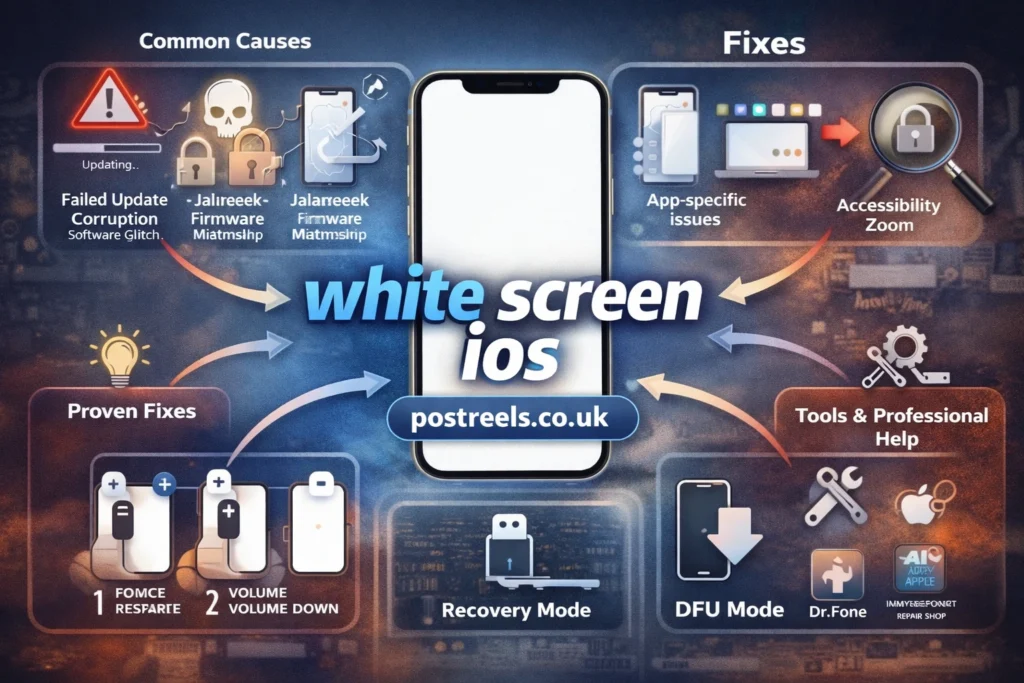
What Are the Common Causes of iPhone White Screen?
Understanding the root cause prevents unnecessary data loss.
1. Software Corruption iOS Update Failure
A white screen after iOS update troubleshooting case often comes from:
- Interrupted update
- Low battery during installation
- Weak Wi-Fi
- Insufficient storage
- Buggy iOS 17 or iOS 18 installation
In California repair shops, technicians report that many white screen iPhone fix cases happen right after major updates.
2. Jailbreak or Firmware Mismatch
Unauthorized system modifications can cause firmware conflict. This may lead to:
- White screen but Apple logo remains iPhone
- Endless reboot loop
- Boot stuck white

3. Hardware Faults
Not all white screen ios problems are software-related.
Possible hardware issues include:
- Loose display connector
- Damaged LCD or OLED panel
- Battery instability
- Logic board damage
- Water exposure
This is where understanding the software glitch vs hardware fault iPhone display difference becomes critical.
4. App-Specific White Screens
Some users report a white screen iPhone in specific app scenarios. The device works, but one app loads blank.
This usually means:
- App update bug
- Compatibility issue with iOS 18
- Server-side failure
- Corrupt cache
This is not a full system crash.
5. iOS app white screen
A white screen in an iOS app often appears when launching or resuming the application, leaving users stuck with a blank display. This can stem from compatibility problems after an iOS update, crashes during initialization, or issues like failed JavaScript execution in web views.
Basic troubleshooting includes force-quitting the app, restarting the device, or reinstalling it. For persistent cases, checking for app updates or contacting the developer usually resolves the iOS app white screen frustration quickly.
6. white screen io
The term “white screen io” typically refers to a blank white display encountered in iOS apps (often shortened or mistyped as “io” for iOS). It commonly occurs during app startup, after the splash screen, or when resuming from the background. Causes range from initialization errors and resource loading failures to framework-specific bugs in hybrid apps.
Developers frequently address white screen io by debugging launch sequences, ensuring proper configuration, or applying framework patches to prevent the blank freeze.
7. Flutter iOS white screen
Flutter developers often face a Flutter iOS white screen when building or deploying apps, where the iOS version launches but remains stuck on a blank white display. This is especially common in release builds, TestFlight distributions, or after adding plugins like Firebase. The issue may arise from missing asset bundling, uncaught exceptions in production mode, or improper Firebase initialization on iOS.
Running flutter clean, verifying Info.plist settings, and testing in debug versus release modes help diagnose and fix the Flutter iOS white screen problem effectively.
8. Flutter white screen on start iOS
A flutter white screen on start ios is a frequent complaint where the app shows a blank white screen immediately after launch on iOS devices or simulators. It differs from debug mode behavior and often appears in release builds due to engine initialization delays, misconfigured splash screens, or errors in main. dart execution.
Solutions include using packages like flutter_native_splash for smoother transitions, ensuring assets are properly included, or checking console logs in Xcode. Addressing these root causes eliminates the annoying flutter white screen on start ios hang for a better user experience.
How Do You Force Restart iPhone White Screen?
Force restart is the safest first step. It clears temporary system crashes without deleting data.
For iPhone 8 and newer (13, 14, 15 Pro, SE 2nd/3rd gen):
- Press Volume Up.
- Press Volume Down.
- Hold Side button until Apple logo appears.
For iPhone 7:
- Hold Volume Down + Power button.
For iPhone 6s:
- Hold Home + Power button.
This solves many iPhone stuck on white screen cases.
How Do You Use a Step-by-Step iOS Recovery Mode Guide?
If force restart fails, move to Recovery Mode.
Recovery Mode allows reinstallation using Finder (Mac) or iTunes (Windows PC).
Steps:
- Connect device to computer.
- Open Finder or iTunes.
- Force restart.
- Continue holding button until Recovery Mode screen appears.
- Choose “Update” first.
Choosing Update attempts repair without erasing data.
Only use “Restore” if Update fails.
What Is DFU Mode iPhone White Screen and When Should You Use It?
DFU Mode reloads firmware completely.
DFU vs Recovery mode iPhone comparison:
| Feature | Recovery Mode | DFU Mode |
|---|---|---|
| Reinstalls iOS | Yes | Yes |
| Reinstalls Firmware | No | Yes |
| Risk of Data Loss | Medium | High |
| Complexity | Moderate | Advanced |
Use DFU Mode only when:
- Recovery Mode fails.
- Device keeps returning to white screen.
- System cannot boot at all.
How to Fix iPhone White Screen With Data Intact?
Data preservation should always be your priority.
Safe methods:
- Force restart
- Accessibility check
- Update via Recovery Mode
- Backup through Finder or iTunes if recognized
Risky methods:
- Restore in Recovery Mode
- DFU Mode restore
If the device appears in Finder or iTunes, back up immediately before trying advanced fixes.
Are Third-Party Tools Effective for white screen ios?
Popular tools include:
- Tenorshare ReiBoot
- Dr.Fone
- iMyFone Fixppo
Pros:
- User-friendly interface
- Guided repair process
- Some offer “standard repair” without data loss
Cons:
- Paid features
- Not effective for hardware problems
- No guarantee
Always download from official sources.
How Do You Know If It’s a Hardware Issue?
Ask yourself:
- Did the phone drop recently?
- Was it exposed to moisture?
- Are there visible cracks?
- Does the screen flicker before turning white?
If yes, it may involve:
- Display connector failure
- LCD damage
- Battery instability
- Logic board malfunction
In these cases, contact Apple Support or visit an authorized service provider.
Why Does white screen ios Happen After iOS 17 or iOS 18 Updates?
Major updates modify core system files like SpringBoard.
Common triggers include:
- Low available storage
- Beta software instability
- App conflicts
- Background interruption
Some users reported persistent white screens during iOS 18.3.1 updates even after restore attempts. In such cases, a clean reinstall using DFU Mode often resolved the issue.
What Are the Early Warning Signs of Impending iOS Crashes?
Watch for:
- Frequent app crashes
- Random shutdowns
- Storage almost full
- Overheating
- Failed updates
- Laggy animations
These are early warning signs of impending iOS crashes.
Addressing these signs early can prevent a white screen ios scenario.
How Can You Prevent white screen ios in the Future?
Prevention is rarely discussed, but it matters.
Smart prevention checklist:
- Maintain 10GB free storage.
- Back up to iCloud weekly.
- Back up to Finder or iTunes monthly.
- Avoid interrupting updates.
- Install official iOS versions only.
- Update apps regularly.
Many white screen iOS cases are preventable.
Real Troubleshooting Example From U.S. Repair Case
A Florida user upgraded an iPhone 14 Pro to iOS 18. The device froze mid-update due to low battery. After restart, it showed a white screen but Apple logo remains iPhone briefly before disappearing.
Force restart failed. Recovery Mode Update failed. DFU Mode restore resolved the issue.
This case shows how white screen after iOS update troubleshooting often requires deeper system repair.
Frequently Asked Questions About white screen ios
1. Can white screen ios fix itself without doing anything?
In rare cases, a temporary system glitch may resolve after the battery drains and the device restarts. However, most white screen issues require at least a force restart or software repair.
2. Why does my iPhone screen turn white but I still hear notifications?
This usually means the system is running but the display interface failed to load properly. It is often a software-related issue rather than a hardware failure.
3. Is white screen ios more common after major updates?
Yes, large updates like iOS 17 or iOS 18 can sometimes cause installation conflicts or corrupted files. Interrupted downloads and low storage increase the risk.
4. Will restoring my iPhone remove the white screen problem permanently?
A full restore can fix deep system corruption, but it erases data unless you have a backup. It does not solve hardware-related white screen problems.
5. Should I go to Apple immediately for a white screen issue?
Not always. Try safe steps like force restart and Recovery Mode first. Visit a professional only if software fixes fail or hardware damage is suspected.
Key Takeaways
- white screen ios usually results from update corruption.
- Accessibility Zoom can mimic system crash.
- Force restart solves many cases.
- Recovery Mode Update protects data.
- DFU Mode is advanced and risky.
- Hardware damage requires professional repair.
- Prevention through backups is critical.
Conclusion
Dealing with a white screen ios problem can feel stressful, especially when your iPhone suddenly becomes unusable. The good news is that most cases of the iPhone white screen of death are linked to software glitches rather than serious hardware damage. Whether the issue appears after an update, during startup, or inside a specific app, following the right troubleshooting steps makes a big difference.
Start with simple checks like a force restart or reviewing Accessibility settings before moving to Recovery Mode or DFU Mode. Always prioritize backing up your data whenever possible. In many situations, what looks like a major failure is just an iOS update glitch or temporary system crash. If the device shows signs of physical damage, then professional repair may be necessary.
By understanding the difference between a software corruption issue and a hardware fault, you can fix white screen ios problems confidently and prevent them in the future.